01 / WEB PLATFORMLIVE
A working campus product.
Browse the current website to see Aspire 101 as students encounter it, not as an idealized design board. Available flows and content can change.
Open live Aspire 101STARTUP · FULL-STACK PRODUCT
A campus platform for posting requests, finding services and meeting students through shared interests.
iOS is in testing, not a public App Store release.
There are thousands of students nearby, but finding the right person can still mean searching through a dozen group chats. Aspire 101 started with that frustration.
I wanted somewhere students could look for each other by what they actually want to do — not by which group chat they happen to be in.
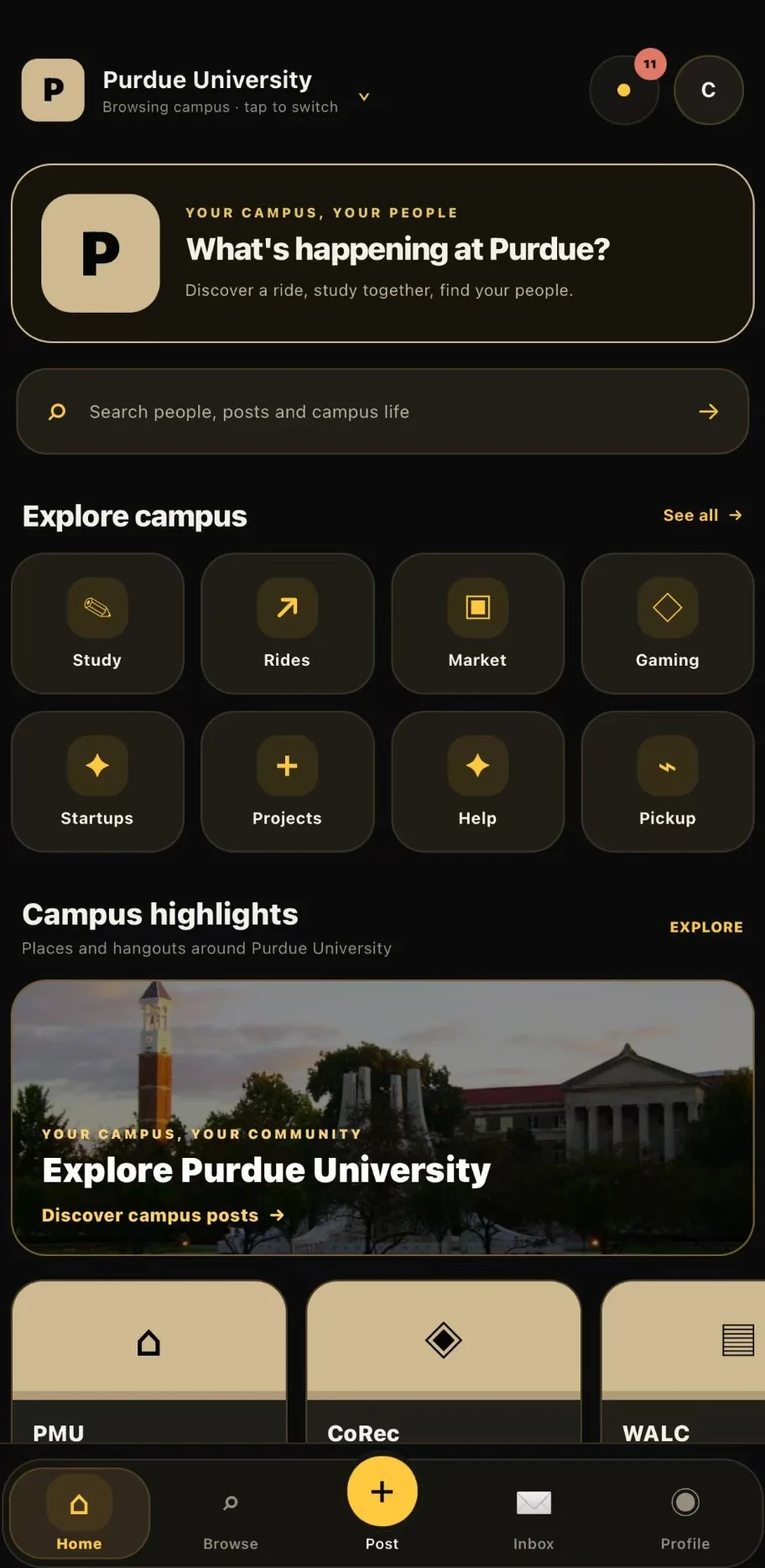
Design exploration and a shipped product tell different stories. Here is the clearest way to see what exists, what is being tested, and what remains a concept.
Browse the current website to see Aspire 101 as students encounter it, not as an idealized design board. Available flows and content can change.
Open live Aspire 101The Expo / React Native iOS app has reached TestFlight. It is not presented here as publicly released on the App Store, and no public install link is claimed.
Testing build · not an App Store listingThe mobile and desktop boards in the following section show interface directions and example content. They are design references, not screenshots of current usage.
View mobile design boardActual, privacy-reviewed iOS screenshots from the TestFlight build: Home, Browse, Post, Inbox, Profile, Settings and Campus Pulse. These are real captures, not recreated concepts or evidence of usage volume.
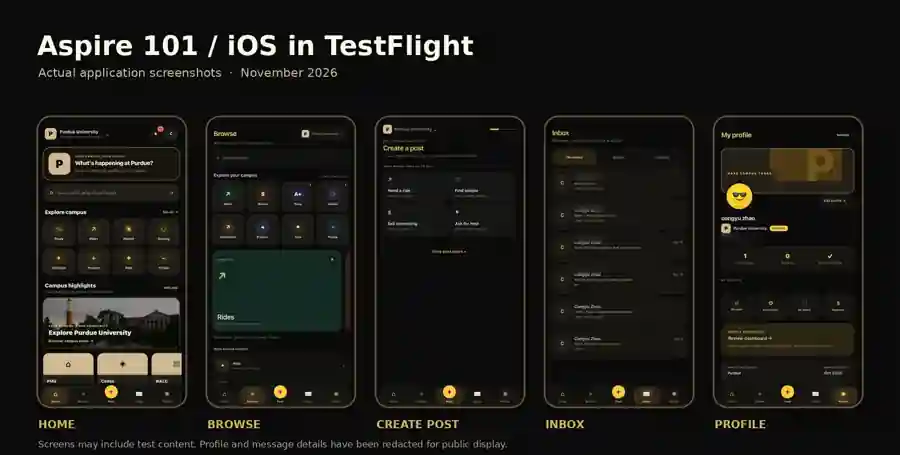
Explore all seven real iOS screens. Swipe horizontally on mobile, or select a screen to view it full size.
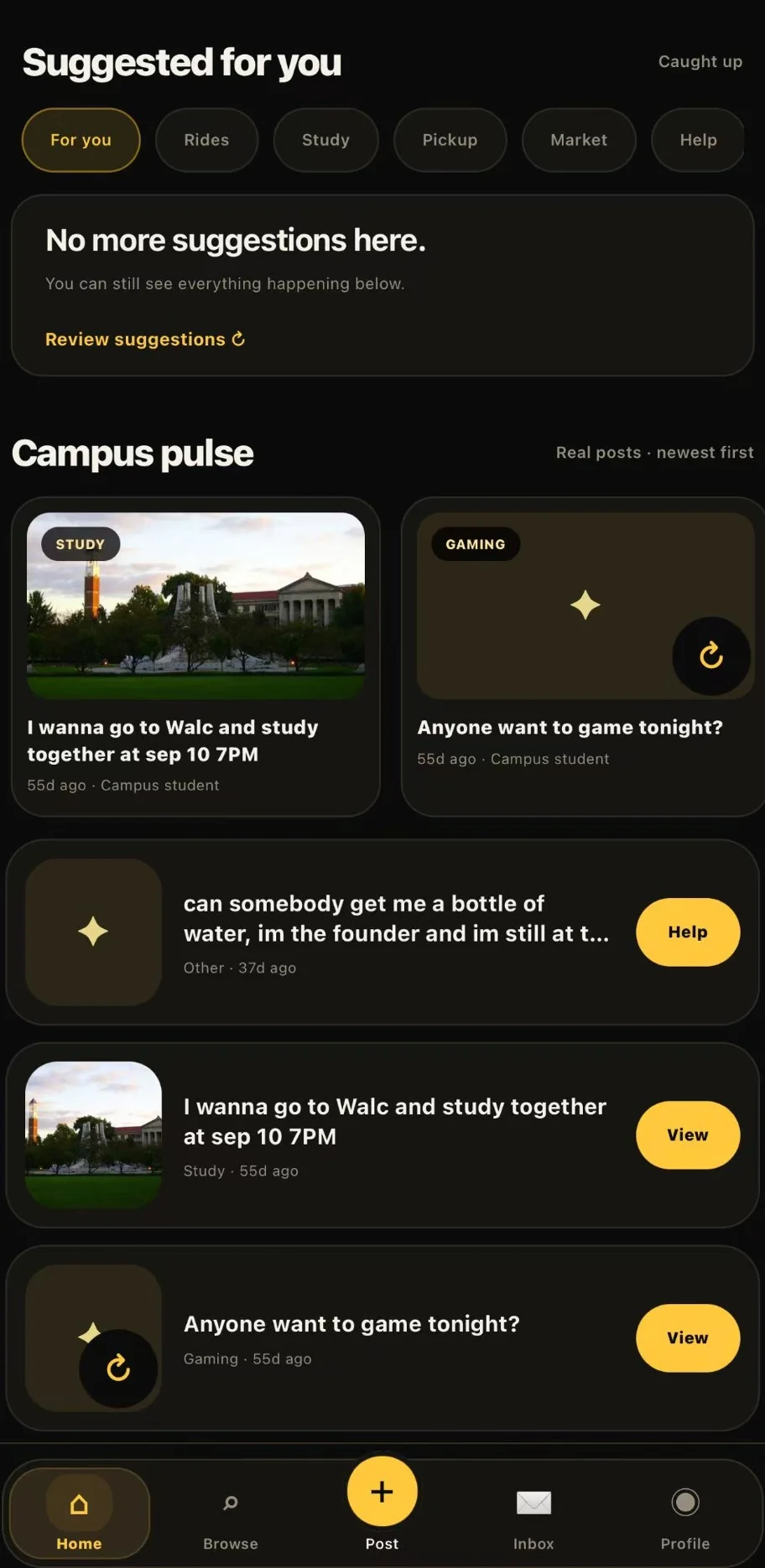
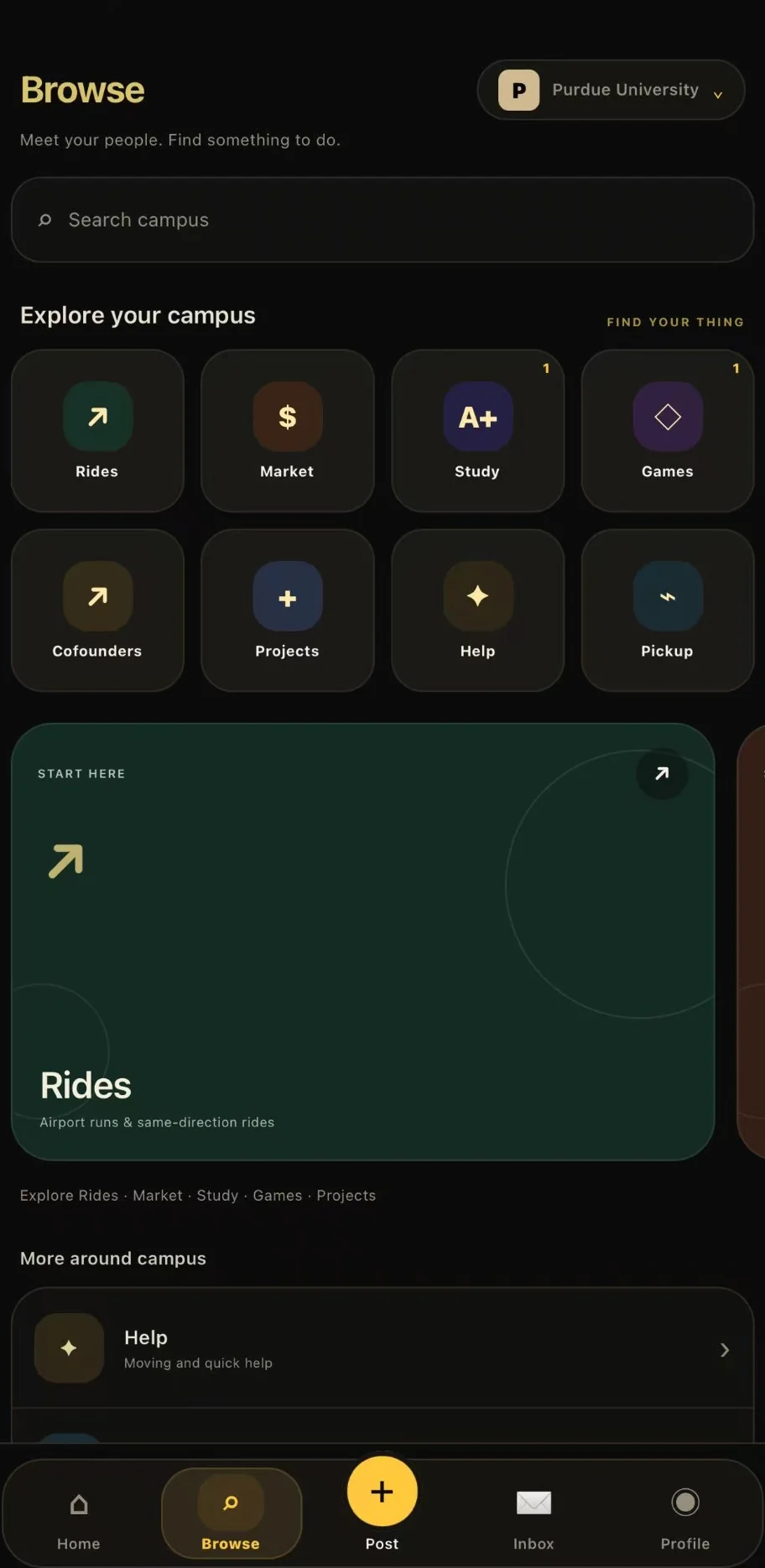
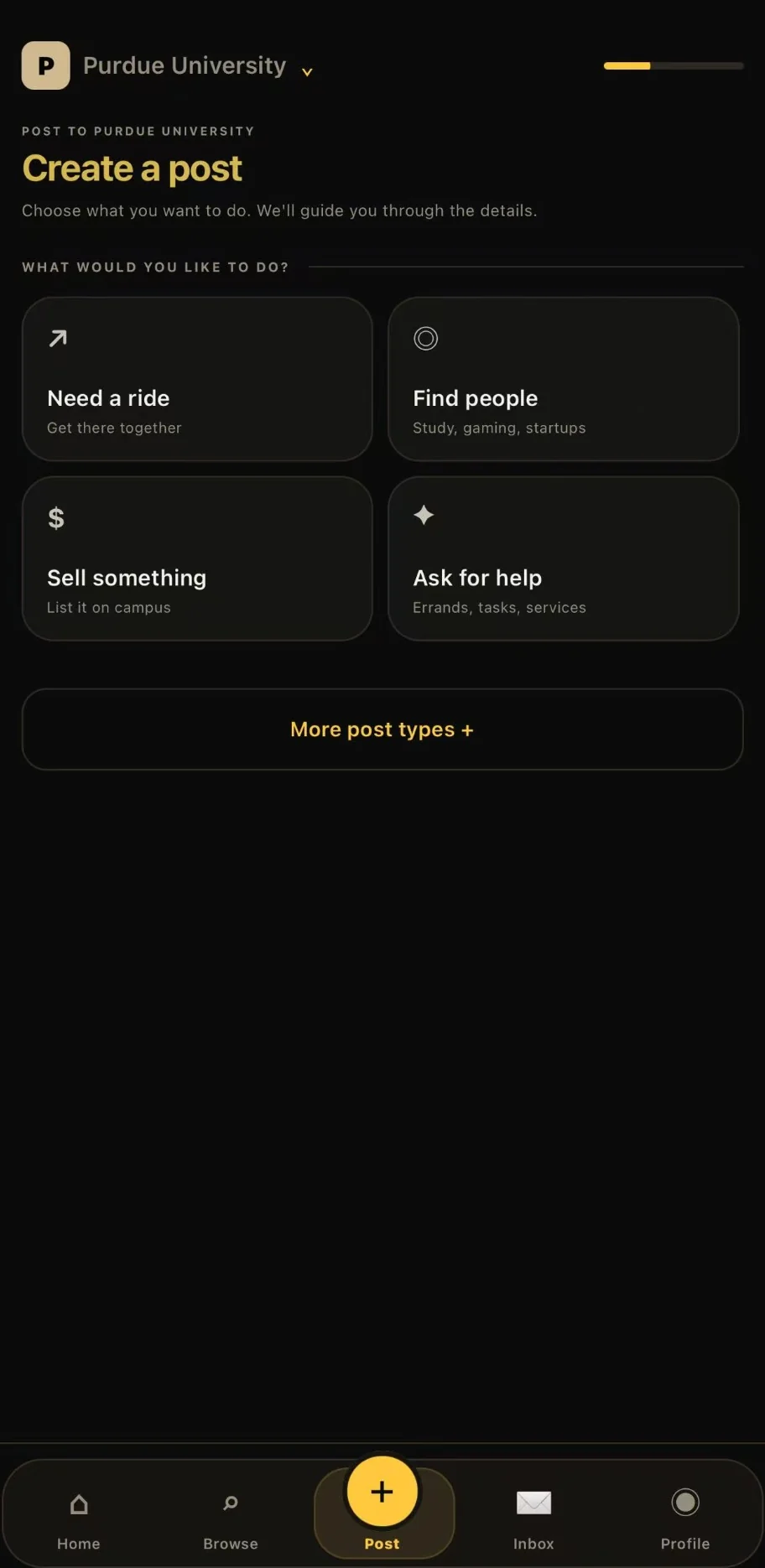
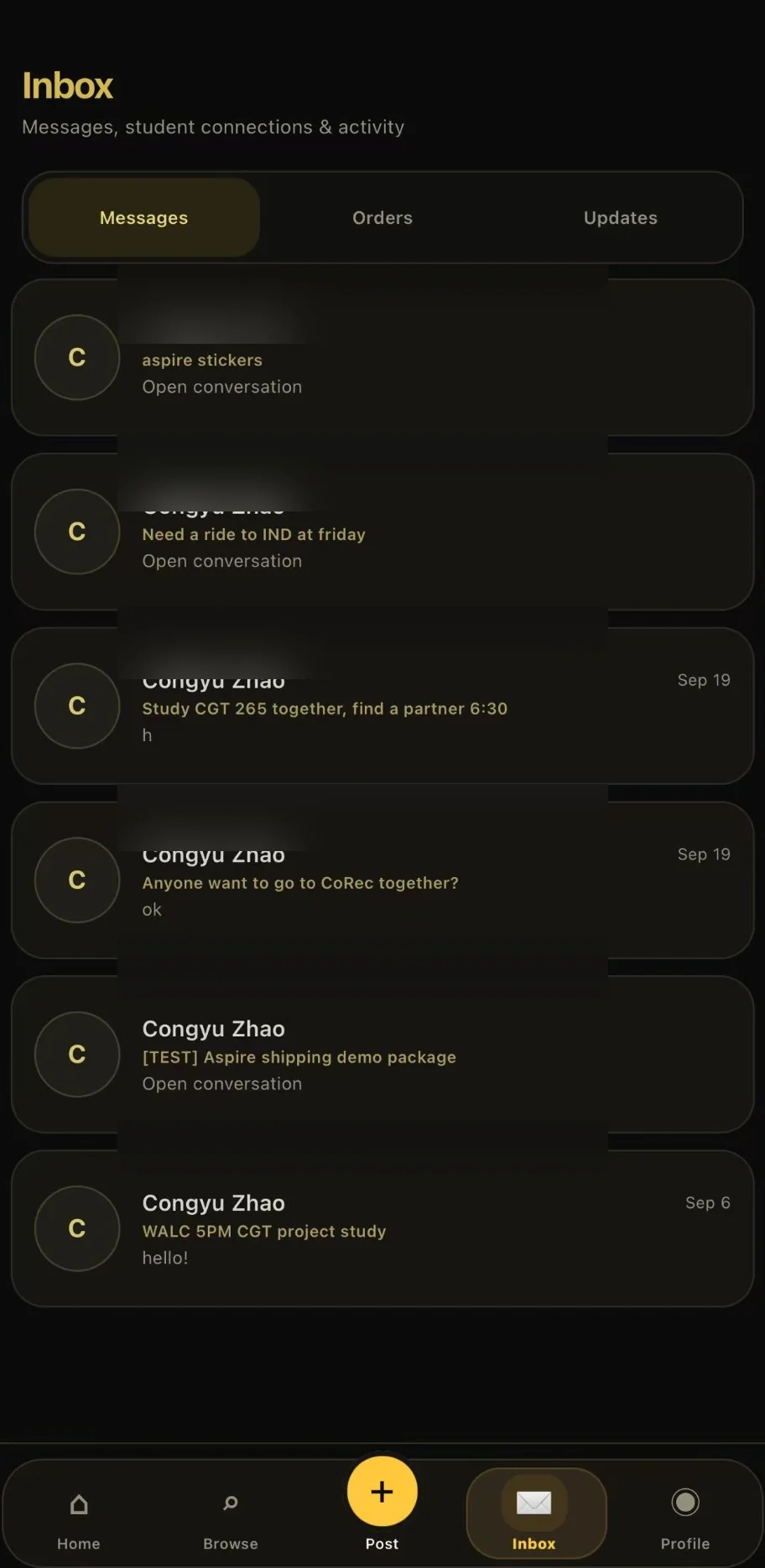
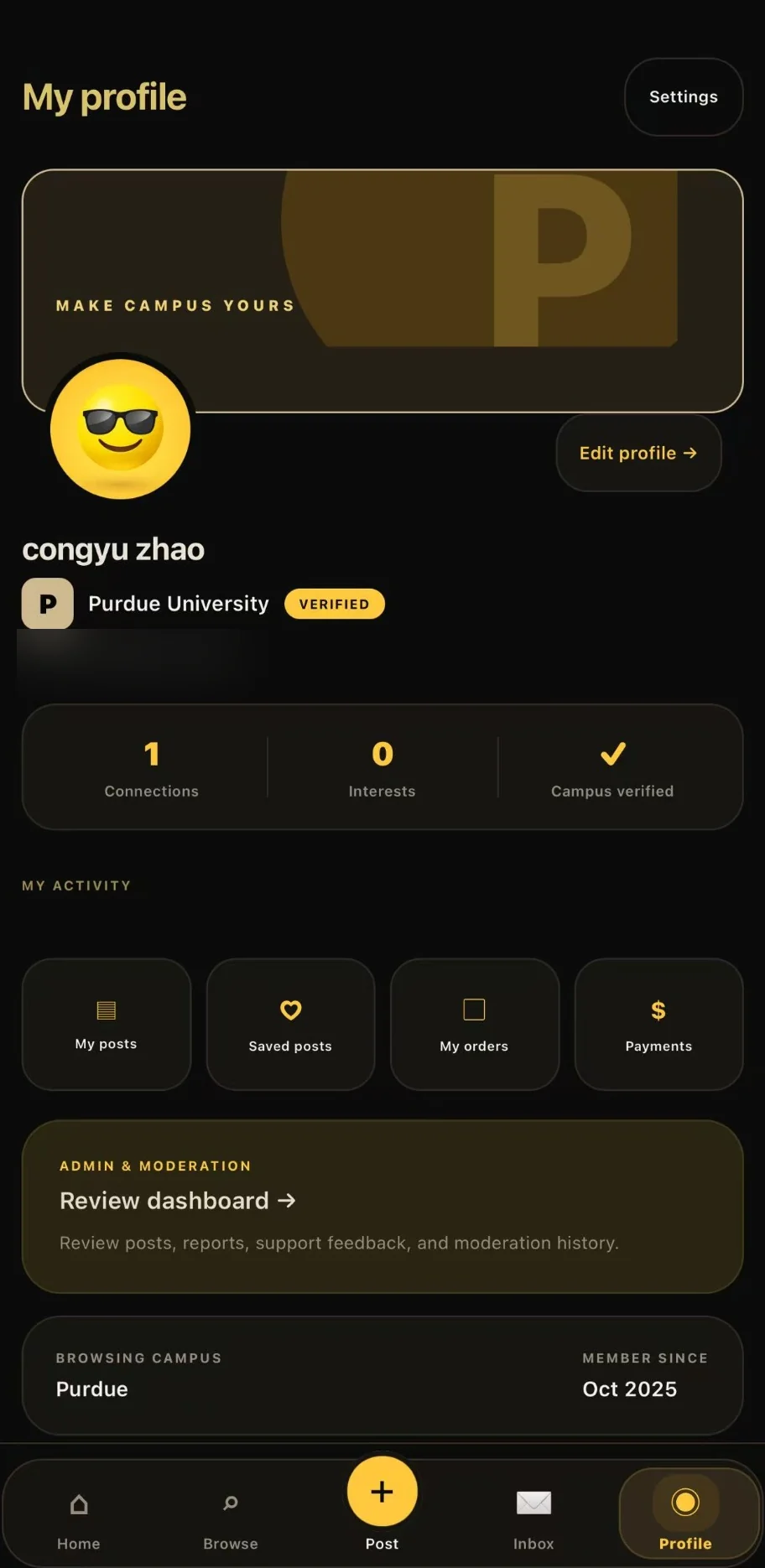
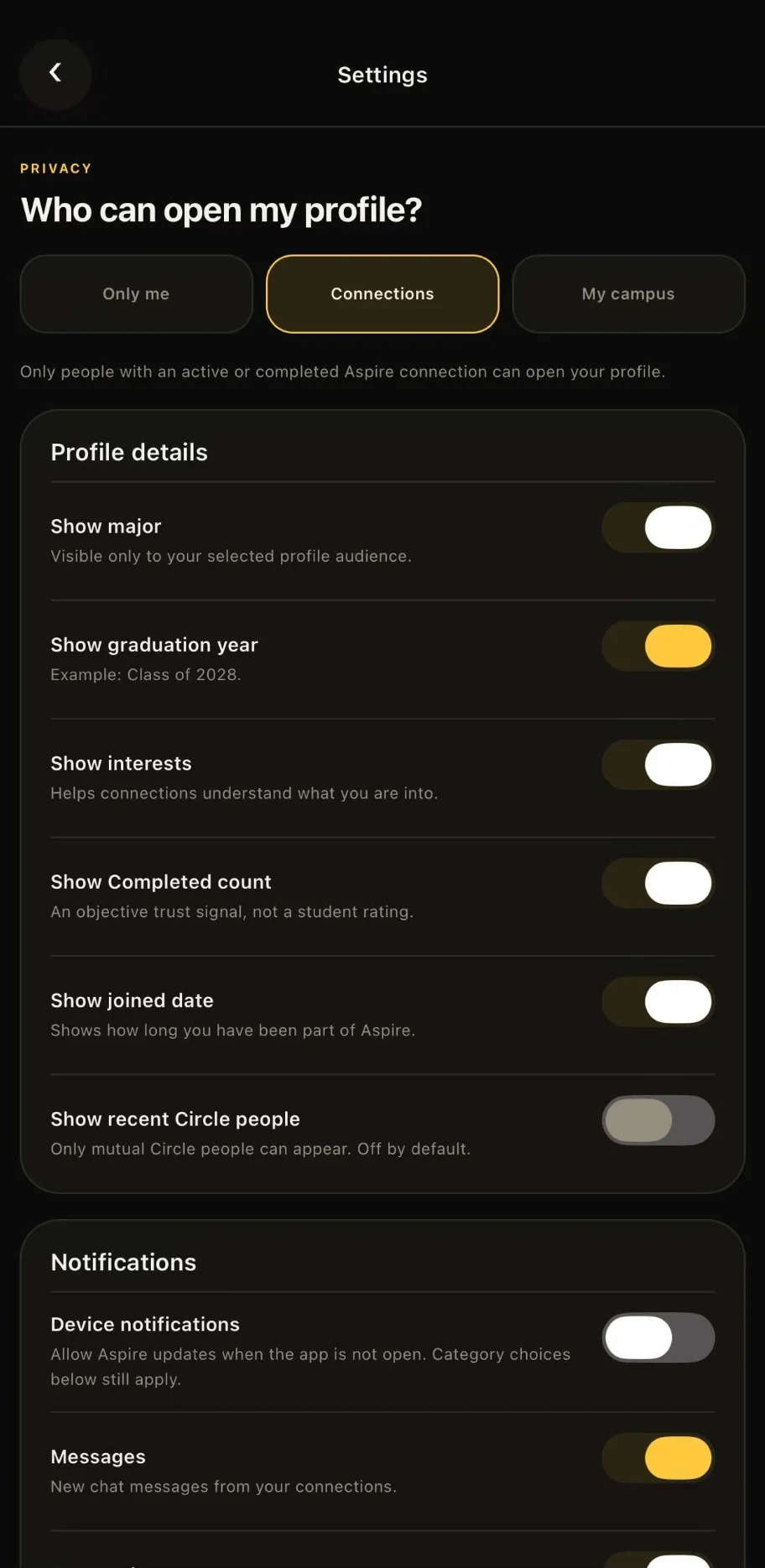
Purdue-specific discovery, post categories and campus highlights give students a starting point.
Rides, Market, Study, Games, Cofounders, Projects, Help and Pickup organize campus needs.
A guided posting flow starts with the kind of request: a ride, people, something to sell or help.
Messages, Orders and Updates are grouped together. Sample and test conversations are not presented as traction metrics.
A university badge, personal activity and account controls help explain who students are connecting with.
Profile audience, individual field visibility and notification controls are available in the shown build; screenshots do not constitute a security audit.
Screens reviewed from the founder's iOS app capture. The screenshots include developer/test activity; descriptions reflect visible UI, not independently verified usage or operating metrics.
One early example came from two UC Davis students who connected through Aspire 101 to play VALORANT together. It is a small anecdote, not a retention metric — but it gets at the reason I built the product.
That is the outcome I want to understand as the campus rollout continues.
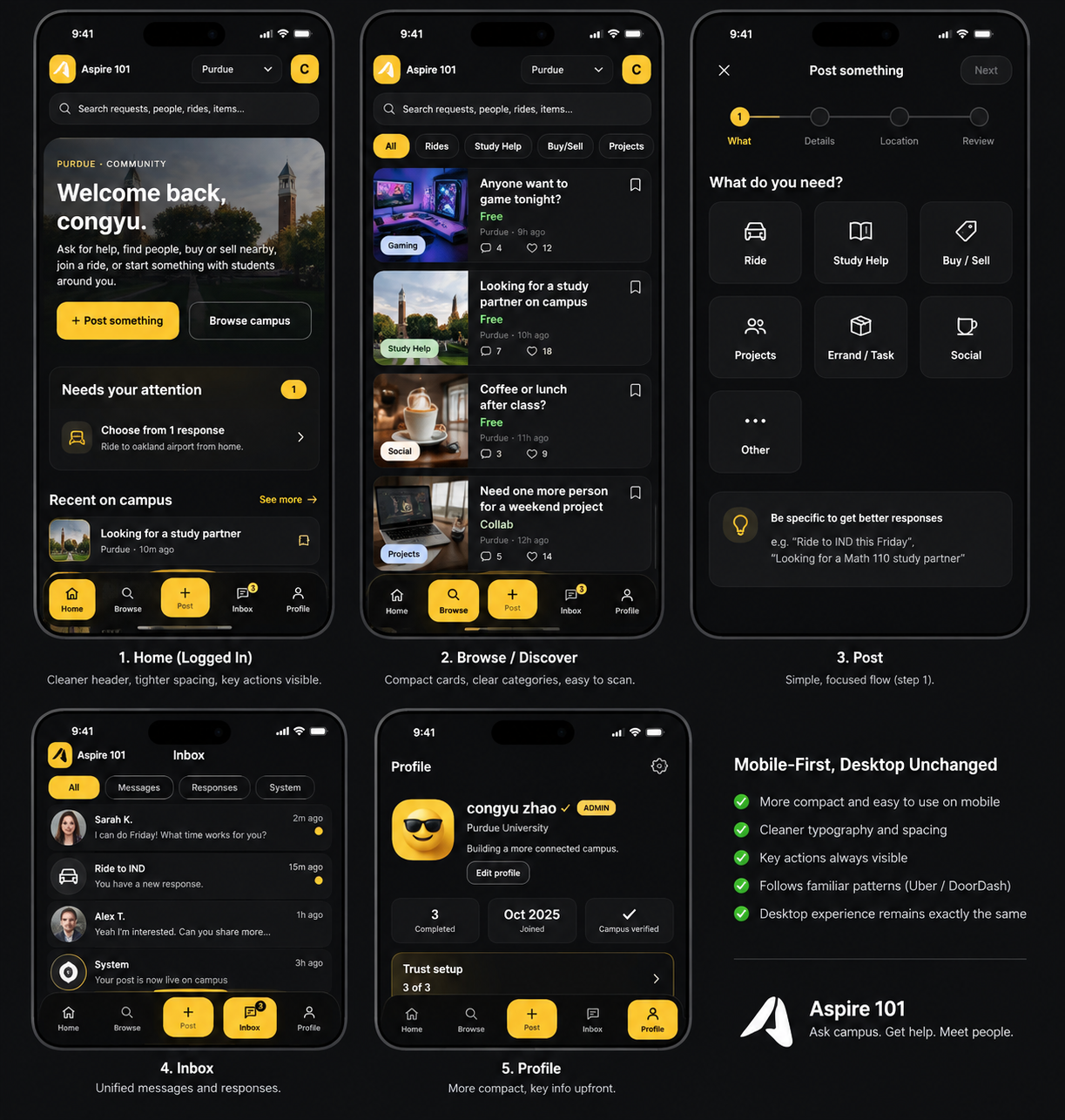
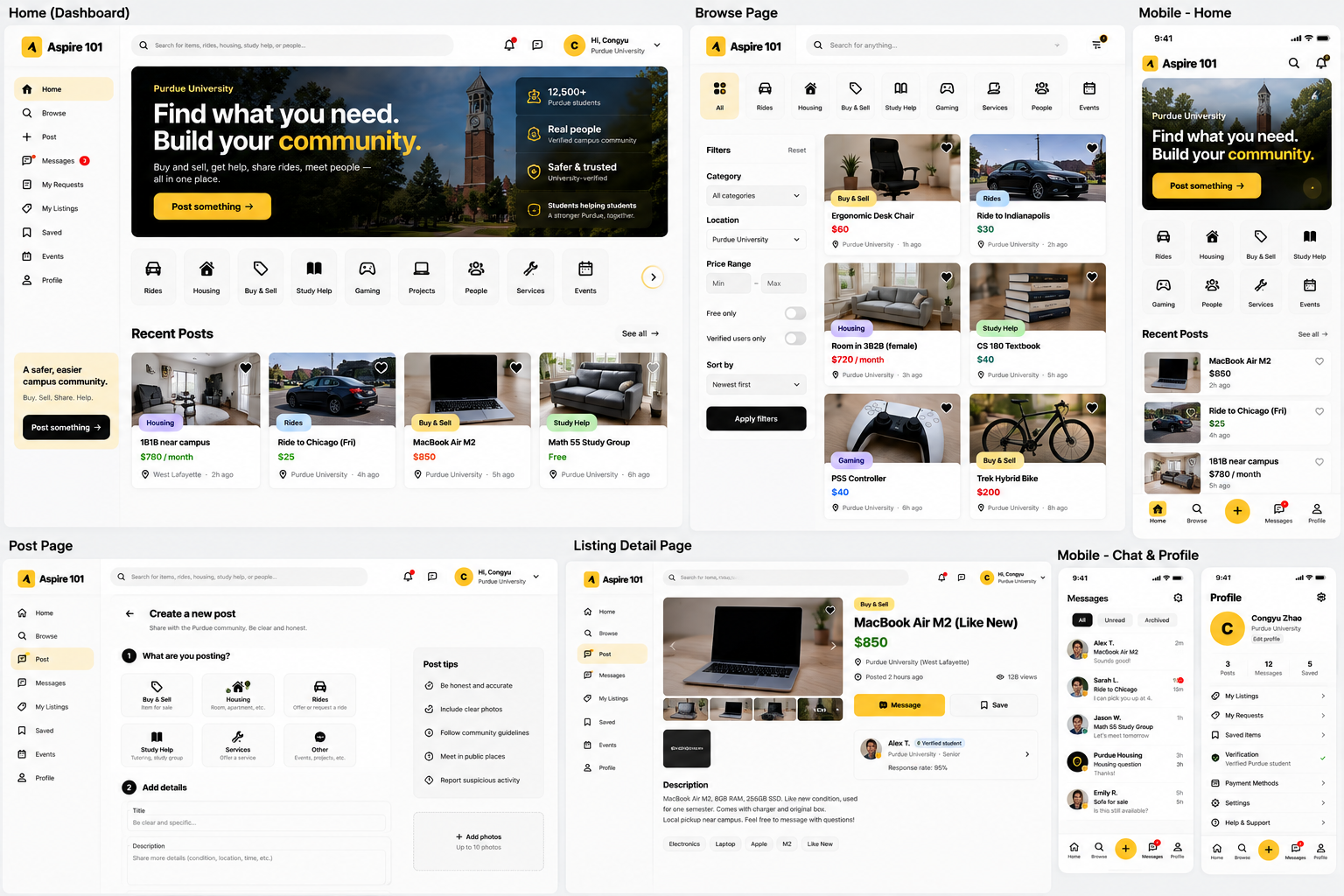
Home, discovery, posting, inbox and profiles — explored across mobile and desktop. These are archived UI/UX concept boards, not verified current production screens. Any numbers or sample posts shown in the mockups are illustrative.
Home · Browse · Post · Inbox · Profile
 View full-size design ↗︎
Desktop Home · Browse · Create Post · Listing detail · Mobile concepts
 View full-size design ↗︎
These boards document design directions and example content; they are not evidence of current user counts, revenue, or production features. For the live product, visit Aspire 101 ↗︎.
The core experience is short on purpose. Find an opportunity, reach out and take the conversation somewhere useful.
Browse opportunities around your university: a study group, a ride, a teammate, or someone to play a game with.
Share what you need or what you can offer, with context specific to your campus.
Reply to a student request, then continue the conversation in messaging.
Move from a post to an actual meetup, service, or shared activity.
Flow illustration based on the product features, not a claim of measured conversion or user activity.
Building the product meant working on what users see and the less visible systems that make it reliable enough to use.
University email verification helps keep discovery campus-focused. Reporting, moderation and cross-campus context are important parts of the product.
I worked across the post → response → connection → chat journey, including the awkward states: empty feeds, pending requests, cancellations and errors.
A live Next.js web platform and an Expo React Native iOS build in TestFlight share backend services powered by Supabase.
Stripe integration and payment-related workflows are part of the platform. Security, event handling and operational monitoring require ongoing testing.
The parts of building Aspire 101 that taught me the most were not the polished screens. They were the decisions I had to make when a campus product became a real service.
University email verification gives students a starting point, but it does not replace moderation. Cross-campus posts need clear origin labels and a reason for reaching another campus, so readers understand who is asking and why.
After an early wave of abusive registrations, I started treating rate limits, reporting and backend authorization as product features—not cleanup tasks to leave until later. The work is ongoing.
The post-to-message journey needs sensible pending, empty, error and cancellation states. I focus on those edges because they determine whether students can finish what they came to do.
Product and engineering retrospective. This describes design and development priorities, not an audited security certification or an assertion that every planned safeguard is live.
The progress behind Aspire 101 was less a straight launch plan and more a sequence of lessons from shipping and listening.
I began working on a way for students to find people and practical help without relying on the right group chat or student organization.
What began as learning to ship became work across product design, Next.js, React Native, backend infrastructure, testing and deployment.
Direct outreach, student feedback and an early abuse incident pushed me to think harder about onboarding, trust and operational reliability.
Now the most important question is whether students keep returning and form useful connections—not simply whether we can ship another feature.
An early wave of abusive registrations made it clear that the backend needed stronger safeguards. That changed how I think about verification, moderation, security and testing.
The web product is live and the iOS build is in TestFlight. The next challenge is to learn whether students return, post again, and actually meet through the product — not just whether they sign up.
See what we're building ↗︎